
'%3e%3cpath%20d='M4.02991%2017.5H0.297321V5.81641H4.02991V17.5ZM2.16161%204.22266C0.968304%204.22266%200%203.26172%200%202.10156C0%201.54297%200.229018%201.01172%200.634821%200.617188C1.04062%200.222656%201.59107%200%202.16161%200C2.73214%200%203.28259%200.222656%203.68839%200.617188C4.0942%201.01172%204.32321%201.54688%204.32321%202.10156C4.32321%203.26172%203.35491%204.22266%202.16161%204.22266ZM17.996%2017.5H14.2714V11.8125C14.2714%2010.457%2014.2433%208.71875%2012.3308%208.71875C10.3902%208.71875%2010.0929%2010.1914%2010.0929%2011.7148V17.5H6.36429V5.81641H9.9442V7.41016H9.99643C10.4946%206.49219%2011.7121%205.52344%2013.5281%205.52344C17.3049%205.52344%2018%207.94141%2018%2011.082V17.5H17.996Z'%20fill='white'%20/%3e%3c/g%3e%3cdefs%3e%3cclipPath%20id='clip0_1338_1747'%3e%3crect%20width='18'%20height='20'%20fill='white'%20/%3e%3c/clipPath%3e%3c/defs%3e%3c/svg%3e)

'%3e%3cpath%20d='M14.3517%201.875H17.1883L10.9928%208.75781L18.2812%2018.125H12.5758L8.10396%2012.4453L2.99325%2018.125H0.152623L6.77807%2010.7617L-0.208984%201.875H5.64102L9.67896%207.06641L14.3517%201.875ZM13.3553%2016.4766H14.9263L4.78521%203.4375H3.09771L13.3553%2016.4766Z'%20fill='white'%20/%3e%3c/g%3e%3cdefs%3e%3cclipPath%20id='clip0_1338_1751'%3e%3crect%20width='18'%20height='20'%20fill='white'%20/%3e%3c/clipPath%3e%3c/defs%3e%3c/svg%3e)


I'm a foodie, so normally when I travel I'm on the hunt for an amazing meal. With my anniversary coming up, I wanted to pick a dinner destination near me that would be unforgettable.
The MICHELIN Guide is an industry recognized list of restaurants that are "worth driving for." The guide website is phenomenal for finding local restaurants, but while preparing for an Aiven for PostgreSQL workshop, my colleague shared this PG JSON blog post using Indian restaurants, and I was inspired to create my own version. I wanted to play around with just the data, and maybe even use it in ways that I can’t on the MICHELIN website.
Aiven MCP
I’m going to store this data in PostgreSQL. The relationships will give me the filtering I want, and that includes distance from my hometown thanks to postGIS.
I can use Aiven MCP and Claude Code for the entire data importing process. The biggest benefit is that AI would be able to look at the data, develop the schema, create the upload scripts, and then run them significantly faster than I could. The downside is that I could wind up with some older versions of the tools. That’s okay and something that can be guarded against with good prompt hygiene.
Setup
Install the Aiven MCP for Claude Code:
Loading code...
Restart Claude Code, then in a new session run: “Authenticate aiven-mcp”
Tip: Utilize Memory, Agents.txt, Claude.txt, etc
One of the more frustrating things I struggle with when using Coding Assistants is that I have in my head all the things that I expect the LLM to know. That said, AI isn't a mind reader.
The first thing I did after adding the MCP server was update my claude.md file. Here were some things that I'd recommend that you add in a using Aiven MCP section.
- preferred Aiven project (if using more than one) along with your preferred region and plan. You don't have to be specific. I like
do-nycanddeveloper-1for things like this but I told it 'use digital ocean nyc developer tier' - any gotchas that you've fallen into before. This is a quick script so I suggested
uvxwith PEP 723-inline dependencies,polars, and batch processing withpsycopg3
This saves about 5 minutes of correcting the LLM when it tries to infer your decisions.
I still had a little back and forth but I rebuilt the project with little interaction beyond this specific request.
Loading code...
15 minutes later my data was uploaded and normalized.
Exploring in PG Studio
I could keep using the MCP server here but I enjoy exploring data with PG Studio in the console. It gives me ideas of what data is available to me and that gets my brain spinning with ideas. The first thing I did was look at the schema map and verified that everything looked correct.
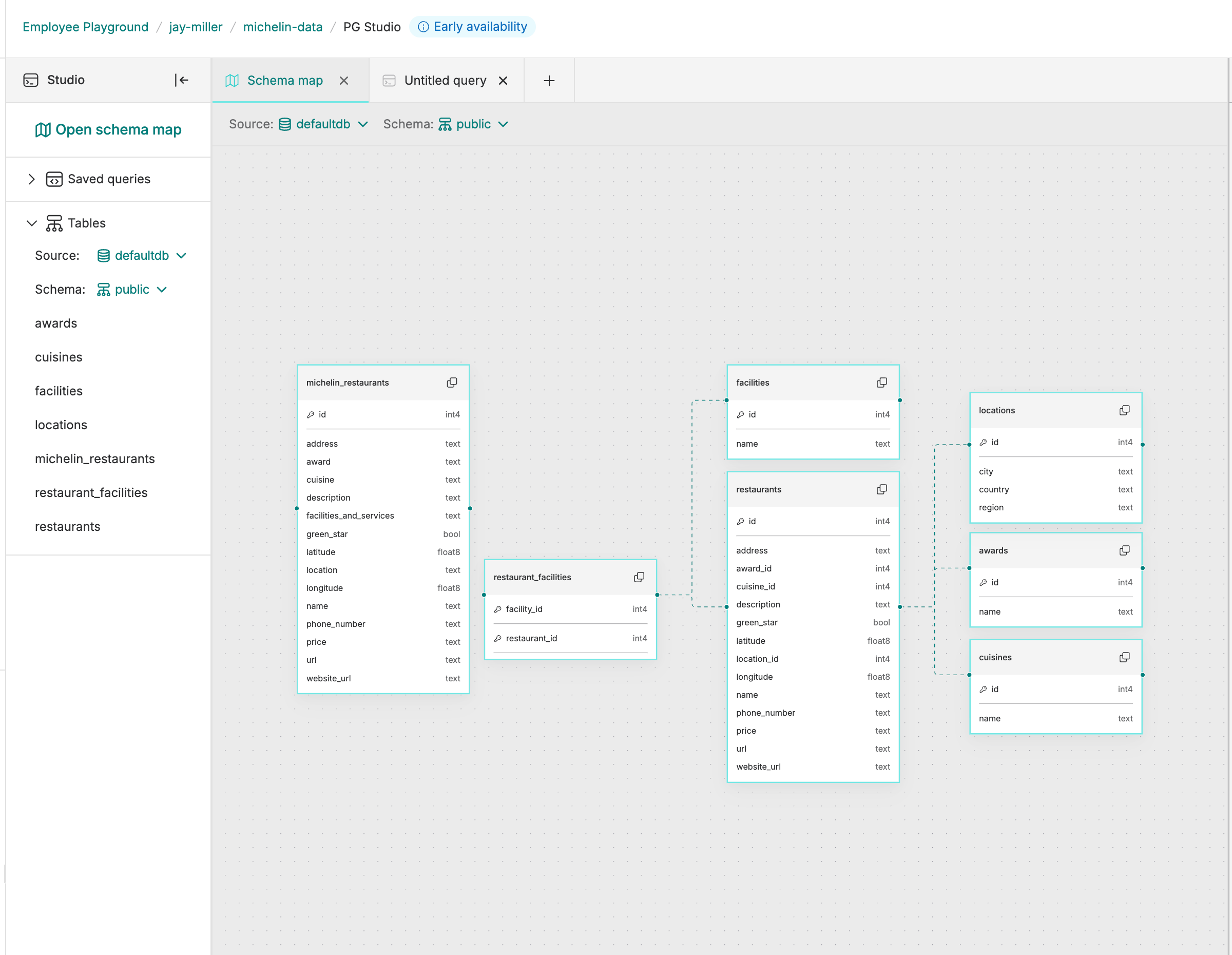
As a quick sanity check, I asked the AI chat "show me all the restaurant names and addresses in Atlanta". It returned the query:
Loading code...
This was a great start, but I wanted more. I prompted, enable postgis.
It ran CREATE extension postgis CASCADE;
Then I asked for the real prompt:
Show me all the restaurants 100 miles of Atlanta (latitude, longitude of 33.753746, -84.386330). I need the name, address, distance in miles, cuisine type and award status, city, state, and price, and url. Order by cuisine type followed by followed by their award
To which it translated as:
Loading code...
I then saw the list of 14,000 plus restaurants wind down to 62. I could work with this.
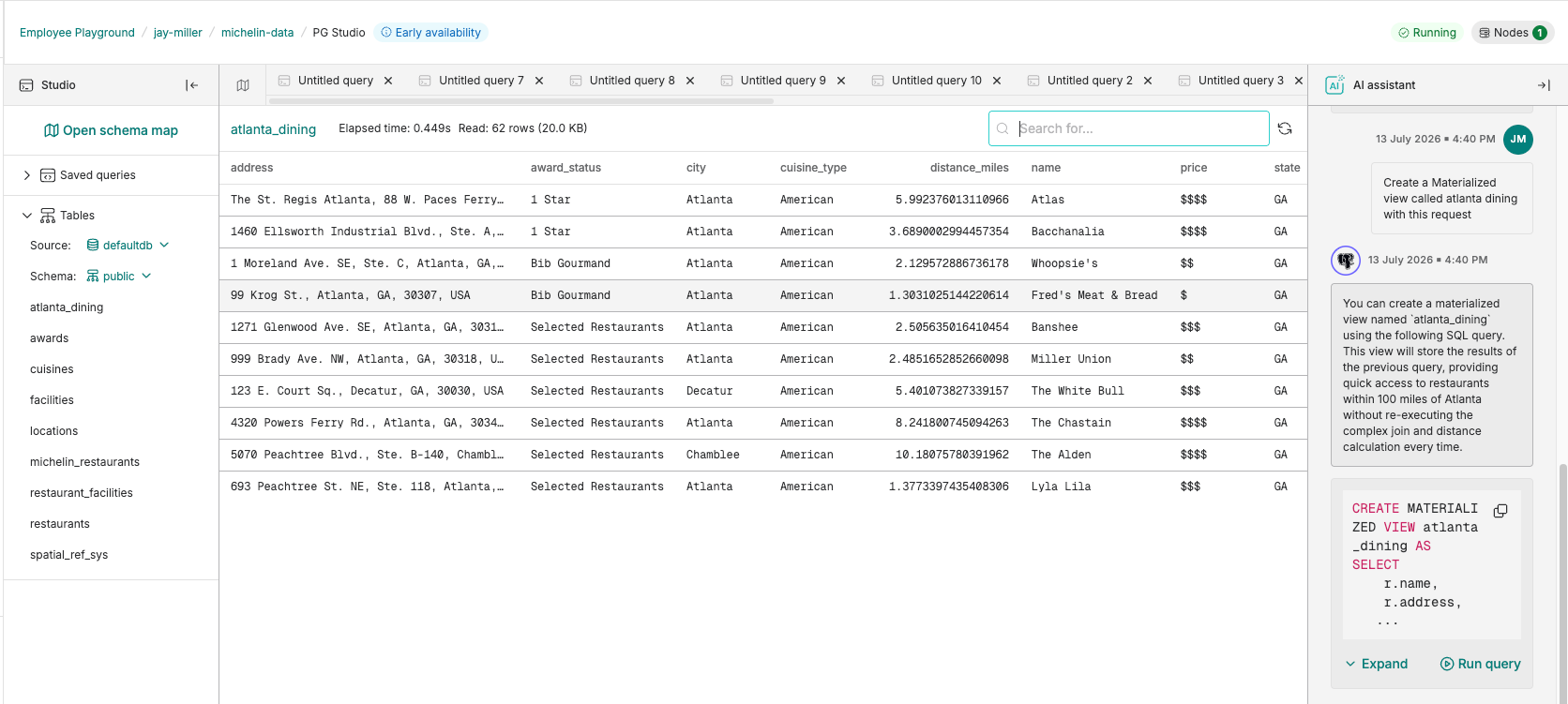
The last request I made was to save this query as a materialized view. This runs the query once and saves the results as a view. Since the data is seldom updated, I'll use these results to quickly query for restaurants for future anniversary dinners or dining recommendations from out of town guests.
Loading code...
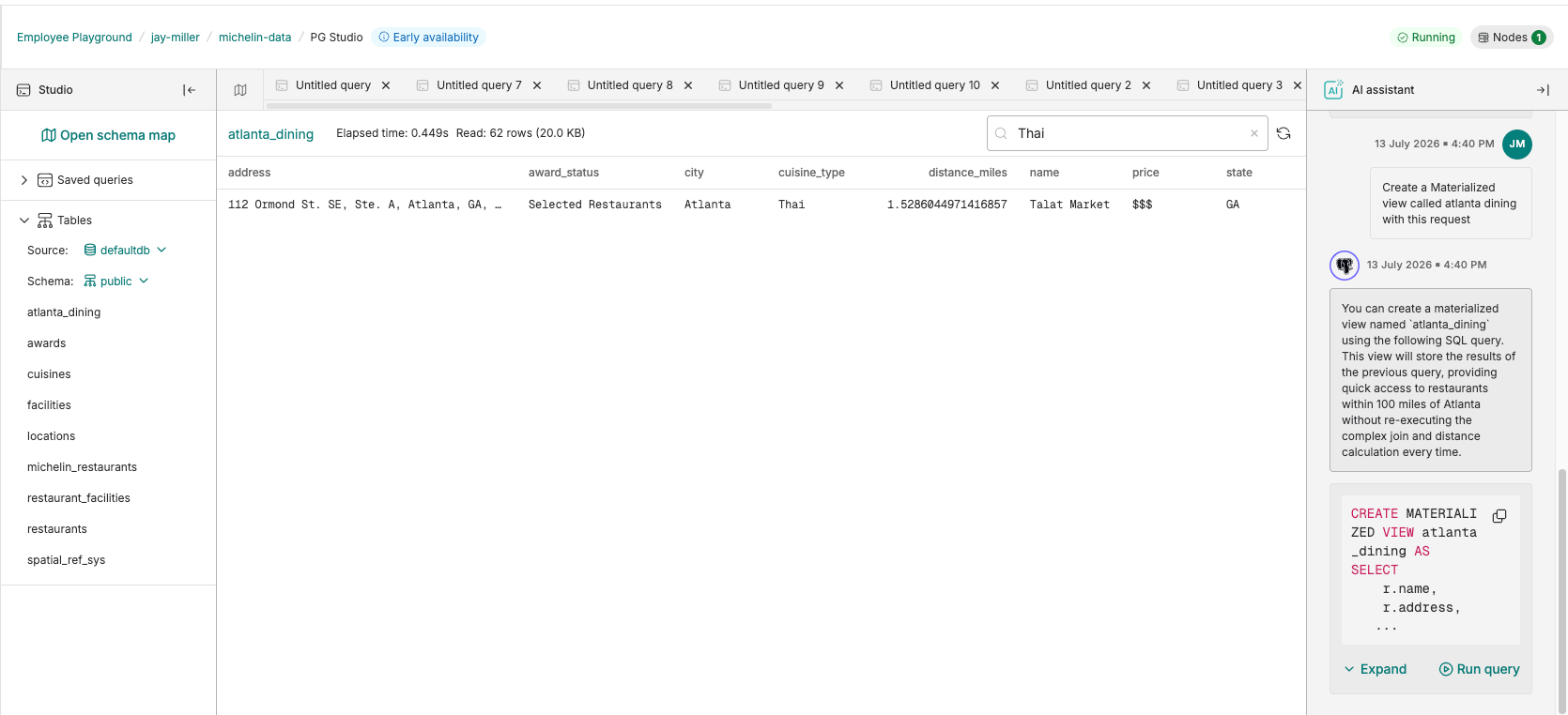
That also adds that view to the list of tables. I was able to select it and without having to query anything I typed "Thai" into the search box and found our dinner destination.
The last step is to power down the service until the next time someone asks me for great food tips in my area.
This was worth <$5 USD and <1 hour spent on having a tool that I can now rely on in the future.
Build it yourself
If you want to see these steps in action, check out the replay of our Tour of Aiven PostgreSQL webinar. You can point your AI agent to my repo and have it review the prompt to deploy this for your location. Lastly, explore the dataset and build off this inspiration and deploy something that showcases this information in a different way with Aiven for PostgreSQL as the backend.
