
'%3e%3cpath%20d='M4.02991%2017.5H0.297321V5.81641H4.02991V17.5ZM2.16161%204.22266C0.968304%204.22266%200%203.26172%200%202.10156C0%201.54297%200.229018%201.01172%200.634821%200.617188C1.04062%200.222656%201.59107%200%202.16161%200C2.73214%200%203.28259%200.222656%203.68839%200.617188C4.0942%201.01172%204.32321%201.54688%204.32321%202.10156C4.32321%203.26172%203.35491%204.22266%202.16161%204.22266ZM17.996%2017.5H14.2714V11.8125C14.2714%2010.457%2014.2433%208.71875%2012.3308%208.71875C10.3902%208.71875%2010.0929%2010.1914%2010.0929%2011.7148V17.5H6.36429V5.81641H9.9442V7.41016H9.99643C10.4946%206.49219%2011.7121%205.52344%2013.5281%205.52344C17.3049%205.52344%2018%207.94141%2018%2011.082V17.5H17.996Z'%20fill='white'%20/%3e%3c/g%3e%3cdefs%3e%3cclipPath%20id='clip0_1338_1747'%3e%3crect%20width='18'%20height='20'%20fill='white'%20/%3e%3c/clipPath%3e%3c/defs%3e%3c/svg%3e)

'%3e%3cpath%20d='M14.3517%201.875H17.1883L10.9928%208.75781L18.2812%2018.125H12.5758L8.10396%2012.4453L2.99325%2018.125H0.152623L6.77807%2010.7617L-0.208984%201.875H5.64102L9.67896%207.06641L14.3517%201.875ZM13.3553%2016.4766H14.9263L4.78521%203.4375H3.09771L13.3553%2016.4766Z'%20fill='white'%20/%3e%3c/g%3e%3cdefs%3e%3cclipPath%20id='clip0_1338_1751'%3e%3crect%20width='18'%20height='20'%20fill='white'%20/%3e%3c/clipPath%3e%3c/defs%3e%3c/svg%3e)


Over the last several decades, PostgreSQL® has been steadily climbing its way to the top of popularity amongst DBAs and app developers. With the rise of AI development, PG has become the tool that you can build with at many different development stages.
This starts at the home of your data, which is the Aiven for PostgreSQL service page in the Aiven Console. The majority of our users interact with their databases there before moving into their terminals and IDEs. Those non-developer types may never move away from it.
2026 is the year Aiven makes it easier for developers, DBAs, data scientists, researchers, vibe coders and, yes, AI Agents to interact with data directly from the Aiven Console.
The PG Studio
Originally introduced with our PG AI Assistant, the PG Studio dreams to become the easiest way to interact with your database. Here is a look at the features that are available today!
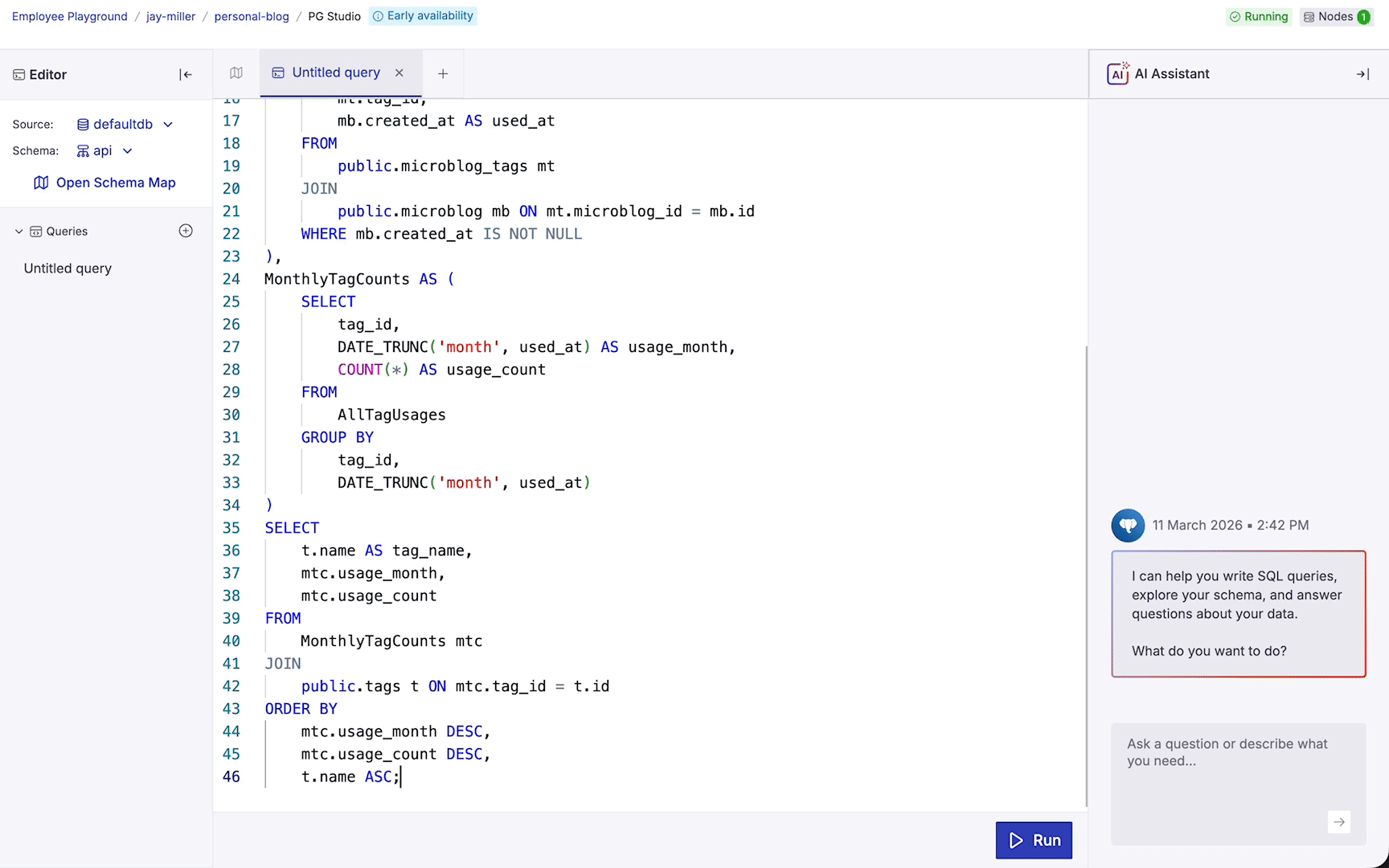
The Query Editor
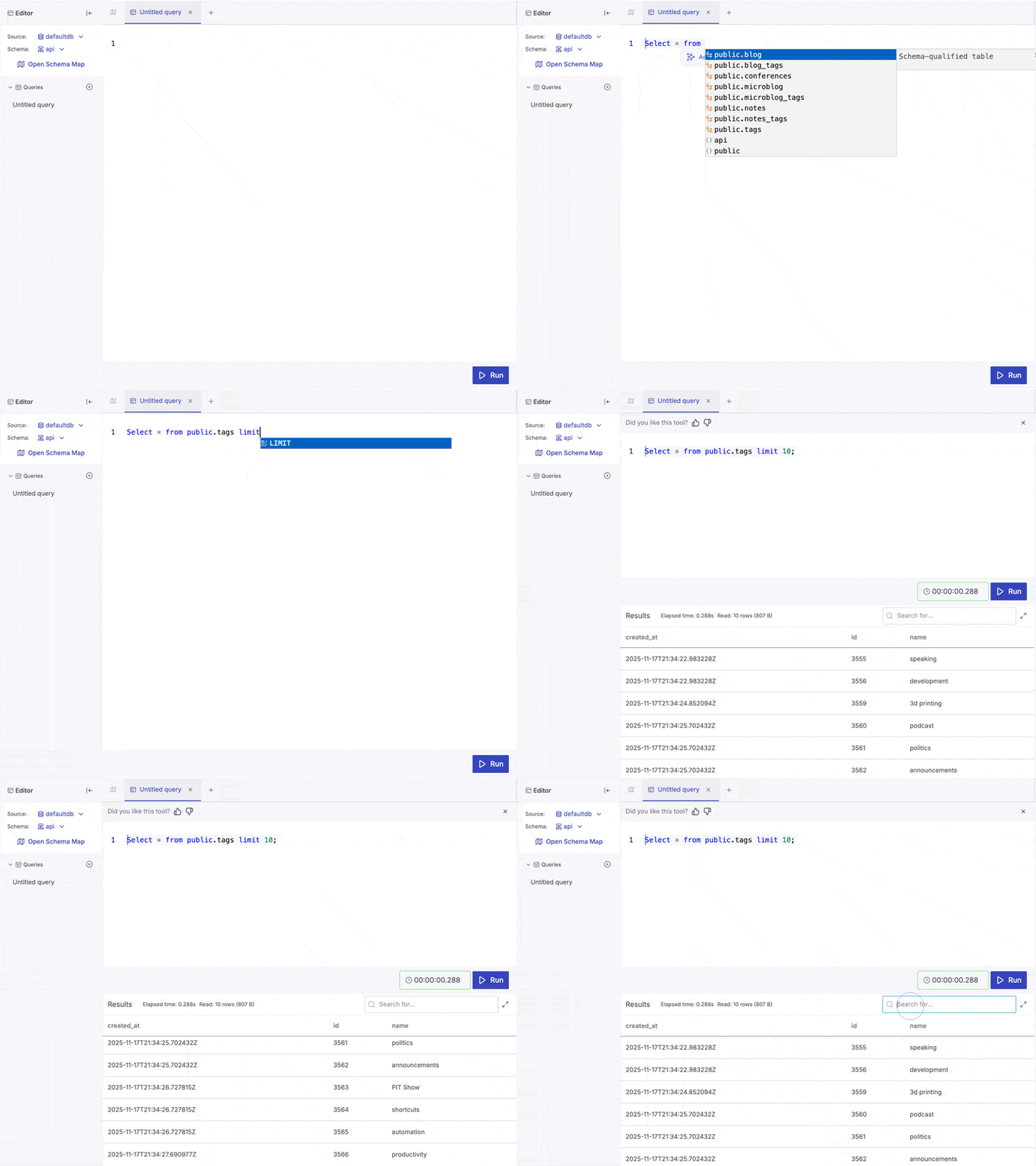
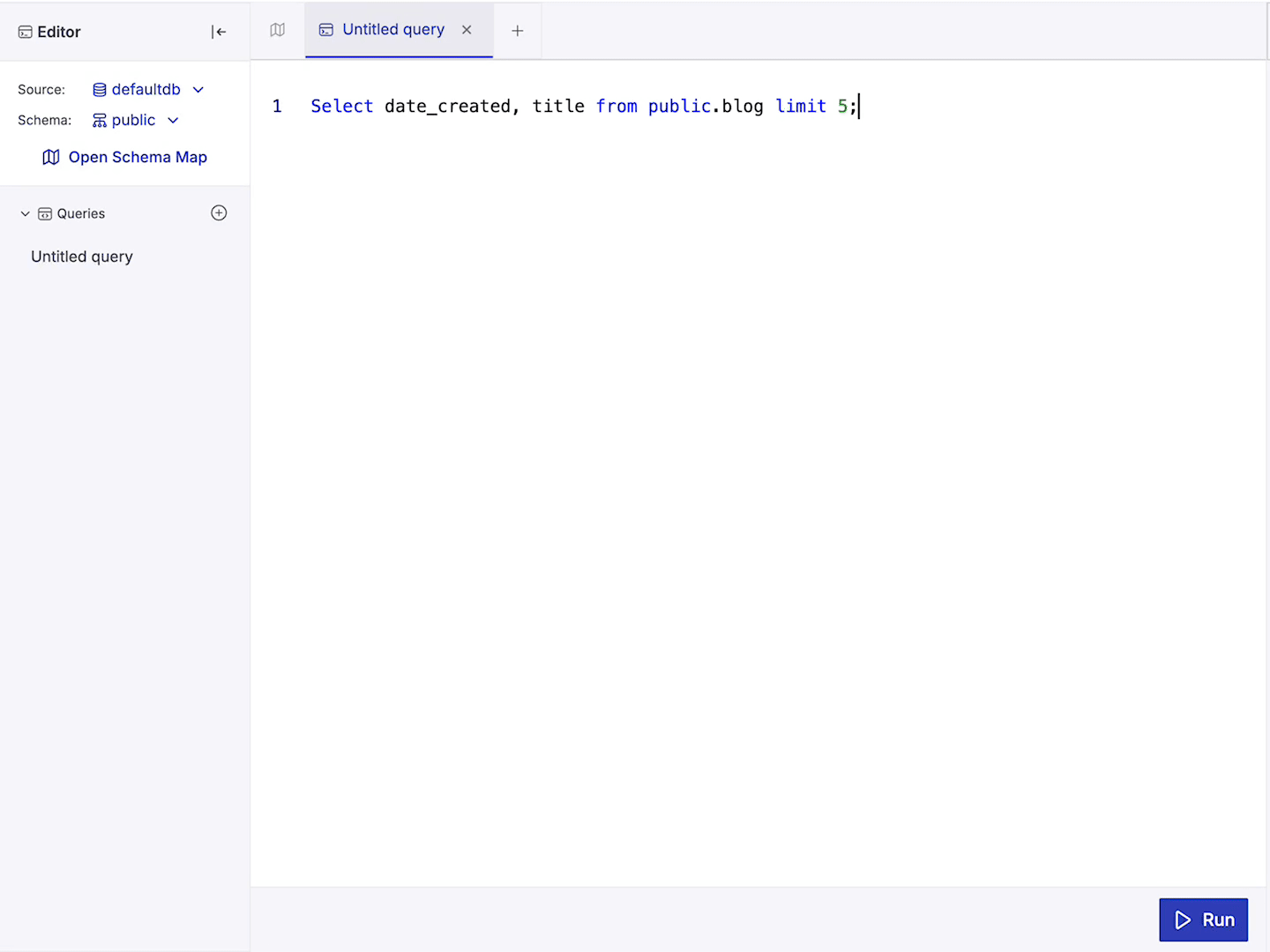
Queries are still the way to interact with your data. Your queries, whether created by you or the AI, are added to the query editor, where you can refine and modify them.
When you run a query, a data view is presented with the information that you queried.
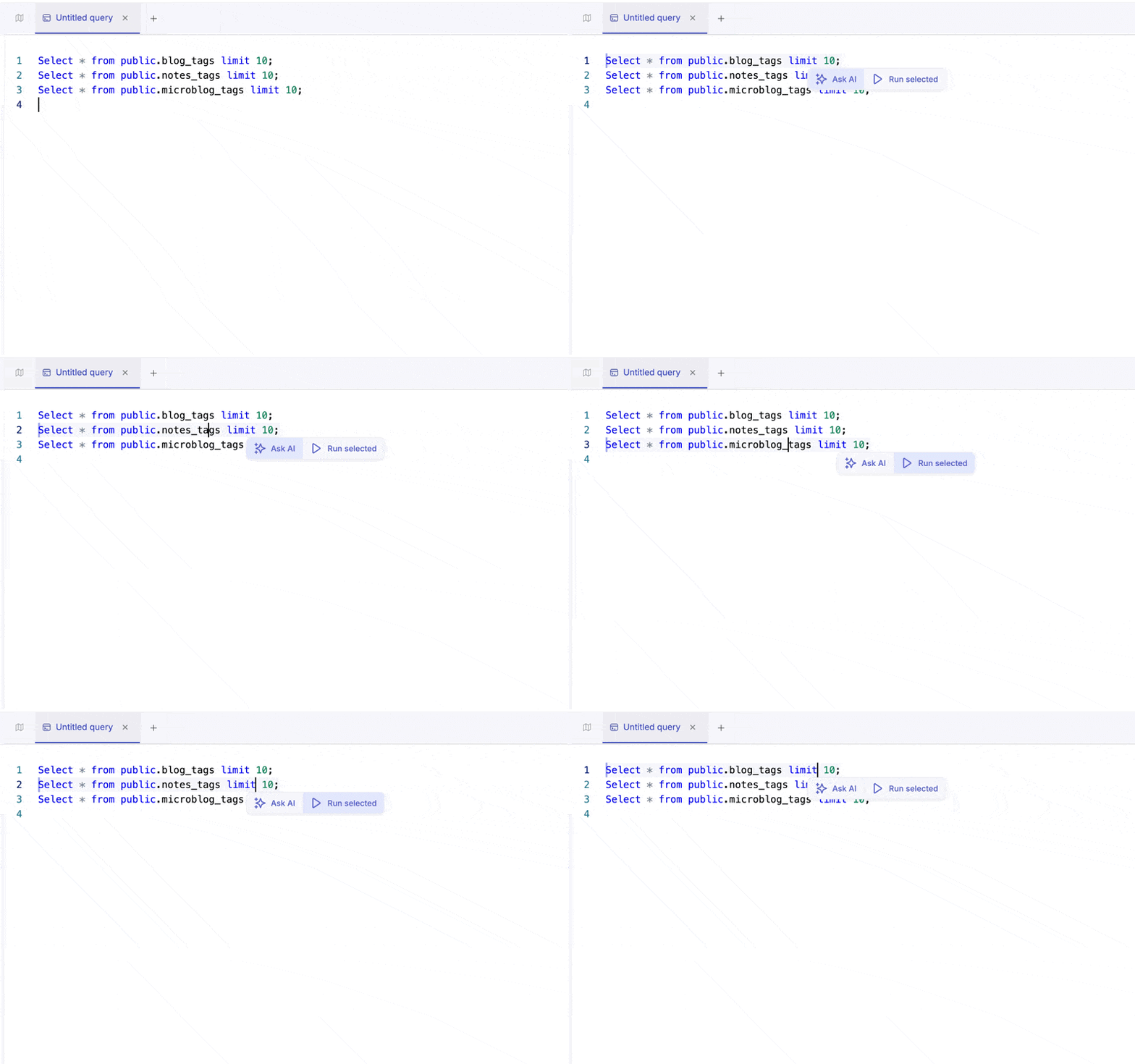
Currently you can only run a singular query at a time. We’ve added a quick menu on text selection so you can run selected queries based on your cursor position.
The Schema Map
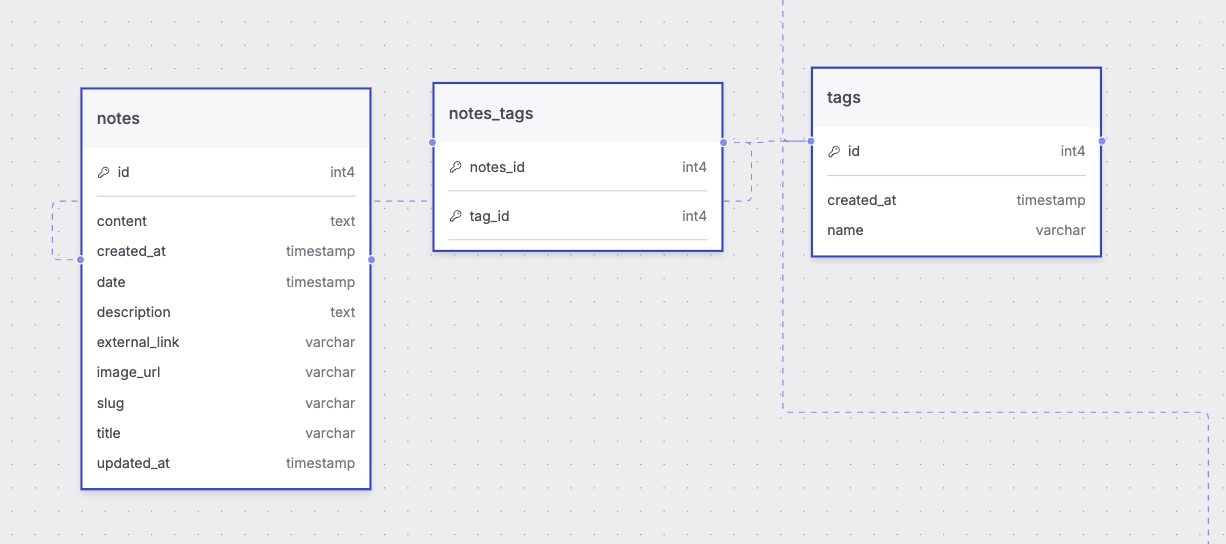
Visualize your database structure with our interactive Schema Map. This dynamic map displays tables, columns, and relationships, making it easy to navigate complex data models.
If you’re ever unsure what that table name is, open the query editor and get the answer!
This allows you to explore your tables and schema to understand how data is interconnected.
The AI Chat Assistant
The PG AI Chat Assistant is the easiest way to get help with a query for your data. This assistant, powered by your schema, works to help you understand and create queries to explore your data.
Queries created in the AI Chat Assistant can be run by you or copied into the query editor for further development.
Your Data, Secured
Aiven has consistently worked to make sure that data is secure and safe, including from us.
We don’t see or have access to any database information outside the database’s schemas.
We’ve also disabled the studio for our Virtual Private Clouds (VPC) and Enhanced Compliance Environments ( ECE) customers.
We’re working on developing granular controls for who in your organization has access to the data.
This is just the beginning! Try the PG Studio Today
The PG Studio is available in Early Availability with the Schema Map, Query Editor, and AI Assistant.
If you would like to learn more about the PG Studio, you can check out the docs. We will be rolling out new features and updates regularly for the next several months so be sure to keep an eye on the changelog.
We want to build this based on your feedback. So try it out and let us know what you’d like to see.
