
'%3e%3cpath%20d='M4.02991%2017.5H0.297321V5.81641H4.02991V17.5ZM2.16161%204.22266C0.968304%204.22266%200%203.26172%200%202.10156C0%201.54297%200.229018%201.01172%200.634821%200.617188C1.04062%200.222656%201.59107%200%202.16161%200C2.73214%200%203.28259%200.222656%203.68839%200.617188C4.0942%201.01172%204.32321%201.54688%204.32321%202.10156C4.32321%203.26172%203.35491%204.22266%202.16161%204.22266ZM17.996%2017.5H14.2714V11.8125C14.2714%2010.457%2014.2433%208.71875%2012.3308%208.71875C10.3902%208.71875%2010.0929%2010.1914%2010.0929%2011.7148V17.5H6.36429V5.81641H9.9442V7.41016H9.99643C10.4946%206.49219%2011.7121%205.52344%2013.5281%205.52344C17.3049%205.52344%2018%207.94141%2018%2011.082V17.5H17.996Z'%20fill='white'%20/%3e%3c/g%3e%3cdefs%3e%3cclipPath%20id='clip0_1338_1747'%3e%3crect%20width='18'%20height='20'%20fill='white'%20/%3e%3c/clipPath%3e%3c/defs%3e%3c/svg%3e)

'%3e%3cpath%20d='M14.3517%201.875H17.1883L10.9928%208.75781L18.2812%2018.125H12.5758L8.10396%2012.4453L2.99325%2018.125H0.152623L6.77807%2010.7617L-0.208984%201.875H5.64102L9.67896%207.06641L14.3517%201.875ZM13.3553%2016.4766H14.9263L4.78521%203.4375H3.09771L13.3553%2016.4766Z'%20fill='white'%20/%3e%3c/g%3e%3cdefs%3e%3cclipPath%20id='clip0_1338_1751'%3e%3crect%20width='18'%20height='20'%20fill='white'%20/%3e%3c/clipPath%3e%3c/defs%3e%3c/svg%3e)

TL;DR
Managing Kafka consumer lag manually is time-consuming and error-prone. Today, we'll show you how to create a fully automated consumer lag monitoring agent in just 5 minutes using Aiven Managed Agents. This agent will monitor your Kafka services and send real-time alerts to Slack when consumer lag is high.
What is Consumer Lag?
Consumer lag is the difference between the latest message offset in a Kafka topic and the last offset consumed by your consumer group. In other words, it measures how far behind your consumers are from the actual data.
High consumer lag can indicate:
- Slow data processing
- Consumer applications are offline or misconfigured
- Insufficient consumer instances
- Data pipeline bottlenecks
Monitoring consumer lag is critical for maintaining healthy Kafka pipelines and catching issues before they impact your applications.
What is Aiven Managed Agents?
Aiven Managed Agents are AI-powered automation tools built to simplify data infrastructure management. Under the hood, they leverage Agno as the open-source agent framework for runtime execution and Aiven for PostgreSQL for state, memory, and data management. While general-purpose platforms like Claude agents, Vercel Eve, or Grok bots provide broad automation capabilities, Aiven Managed Agents connect directly to your Aiven services and external integrations out of the box. They can:
- Investigate complex issues automatically using Aiven APIs
- Execute predefined workflows without manual intervention
- Send alerts and reports to external systems like Slack
- Run on schedules or triggered by events
- Understand your infrastructure deeply through MCP integrations
With Managed Agents, you can automate operational tasks that would normally require manual investigation and intervention.
What Will We Create?
In this guide, we'll create a Consumer Lag Monitoring Agent with the following features:
- Kafka Service Integration: Connects to your Aiven Kafka services.
- Lag Analysis: Automatically investigates consumer lag across all topics.
- Slack Integration: Sends detailed reports to Slack when lag is detected.
- Scheduled Execution: Runs automatically every 5 minutes.
- Actionable Insights: Provides root cause analysis and recommendations.
The agent will monitor your Kafka infrastructure 24/7 and notify your team of issues before they escalate.
Step-by-Step Guide: Create Your Consumer Lag Agent
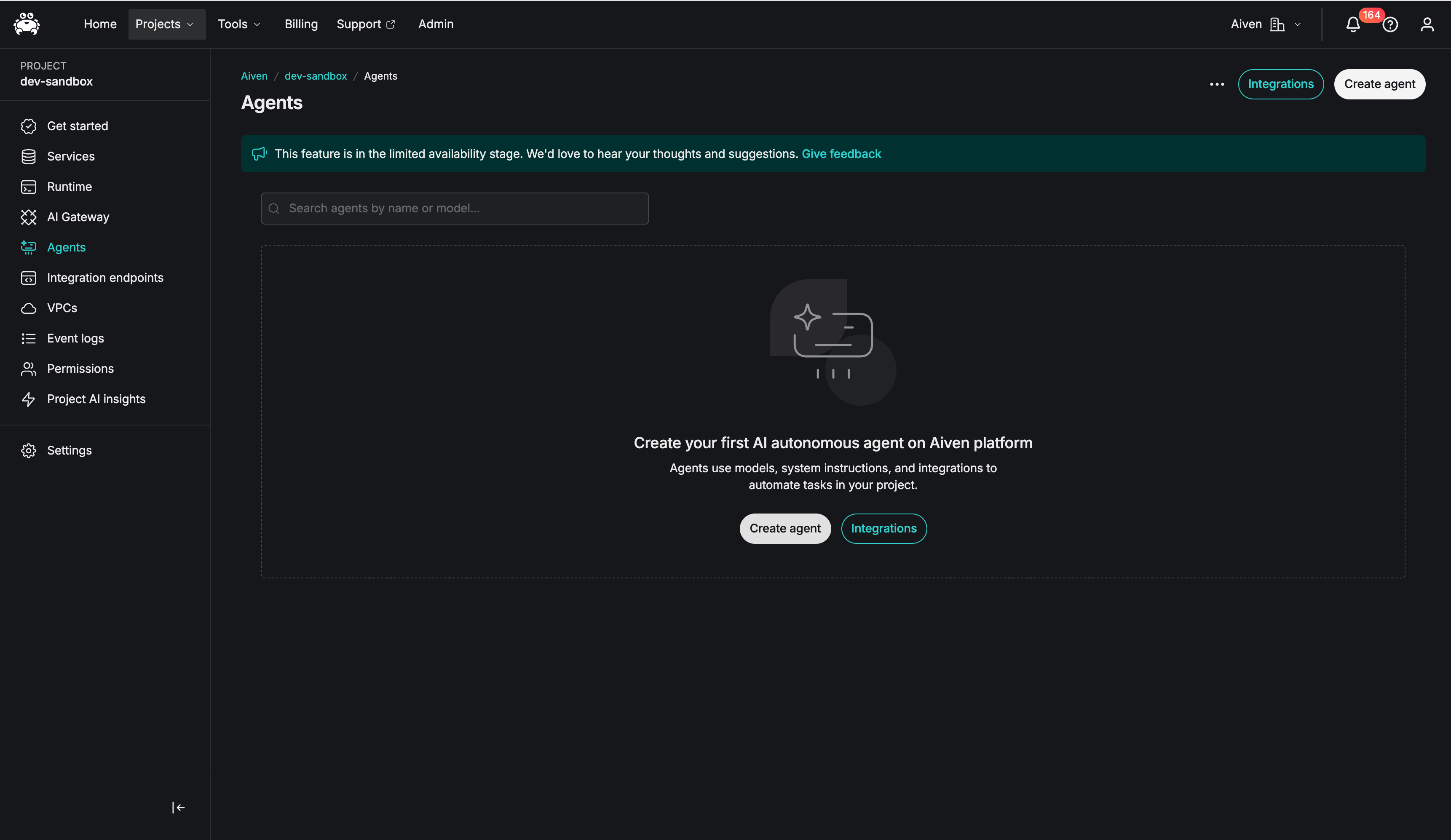
Step 1: Access Aiven Agents
Log in to your Aiven account and navigate to the Agents section in the console. Click Create Agent to begin.
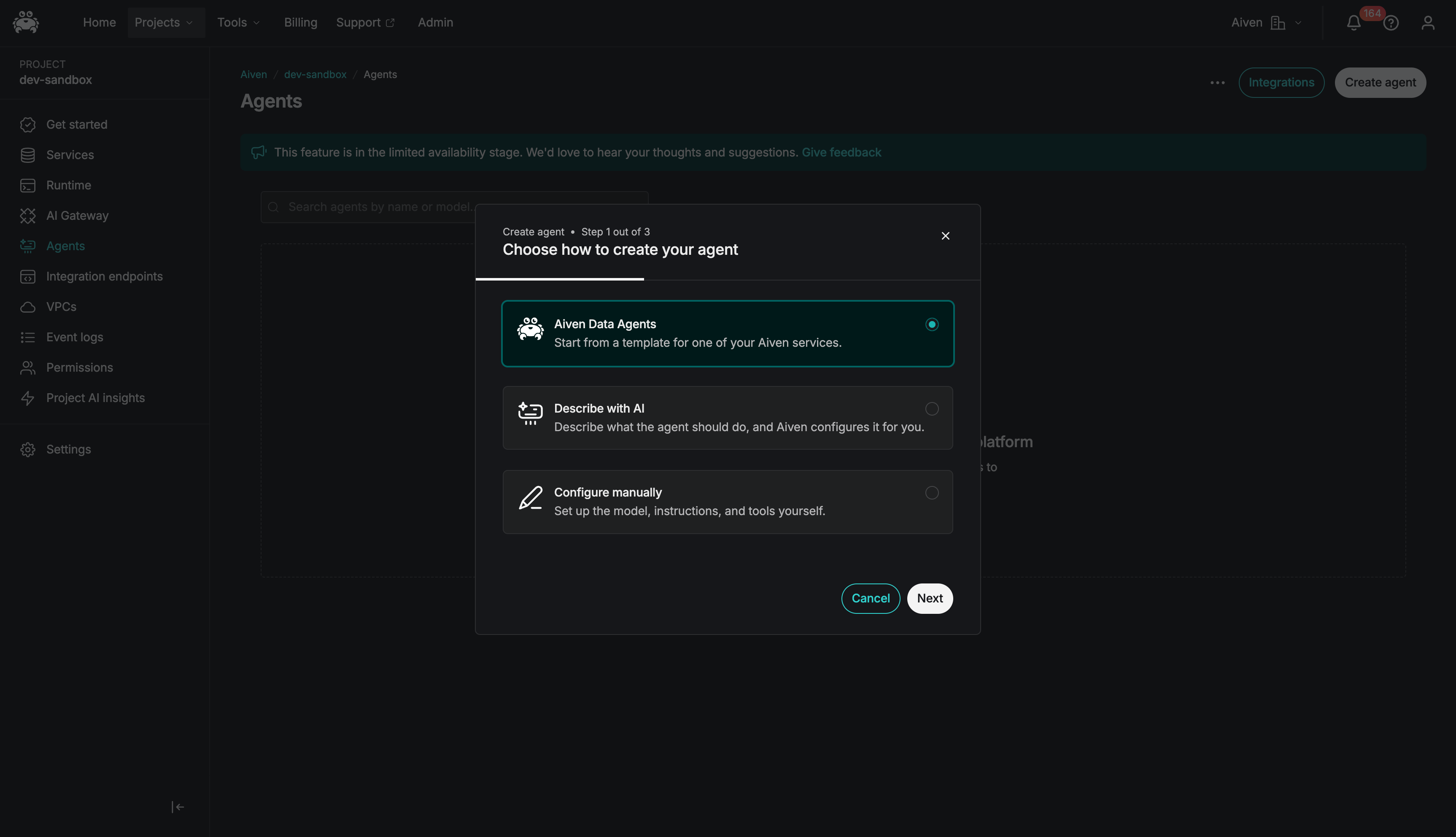
Step 2: Choose Agent Type
Select Aiven Data Agent from the available agent types. This agent type is optimized for monitoring and analyzing your Aiven services.
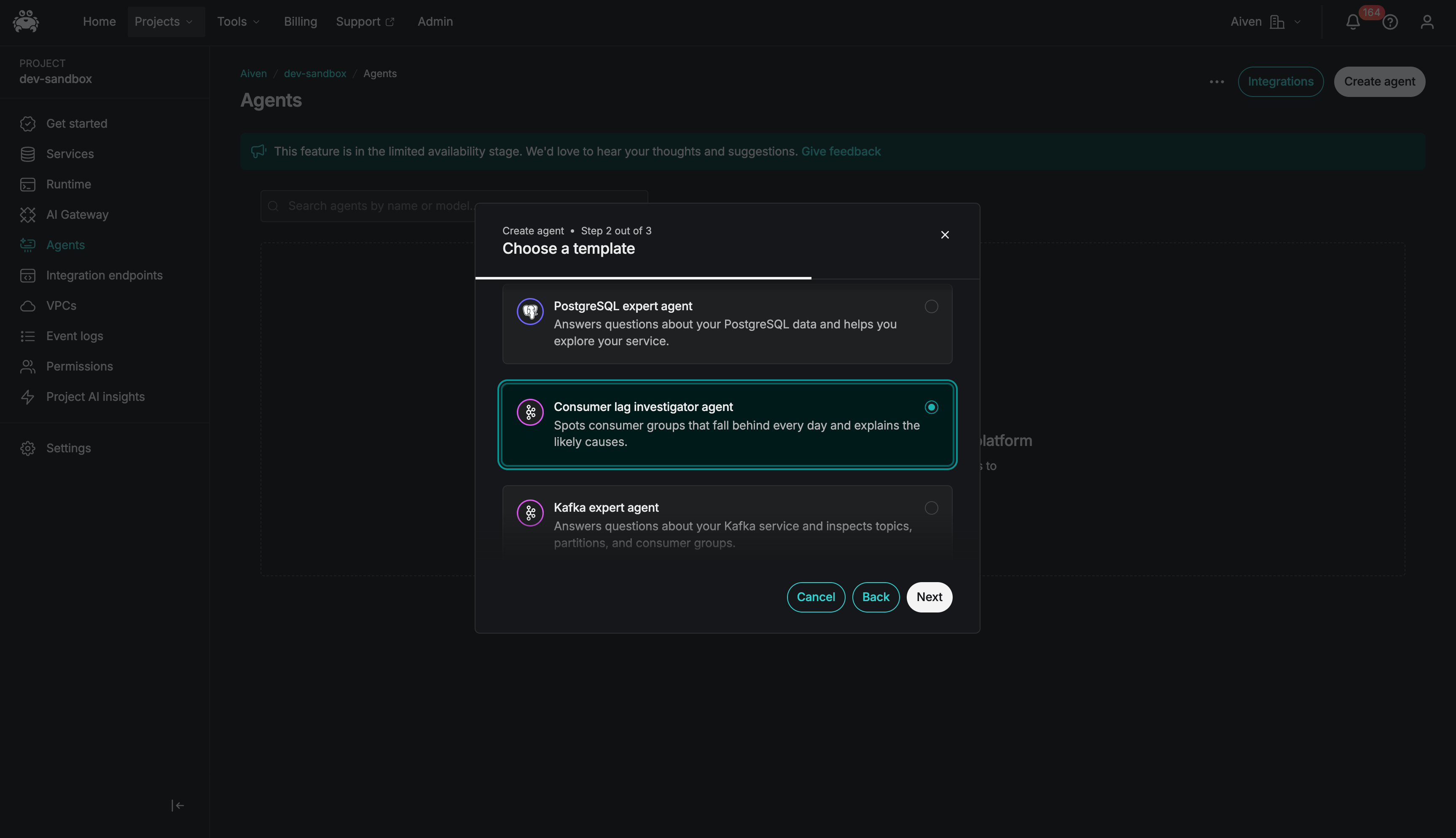
Step 3: Select Consumer Lag Investigator Agent Template
Choose the Consumer Lag Agent template. This pre-built template includes all the logic needed to investigate Kafka consumer lag across your services.
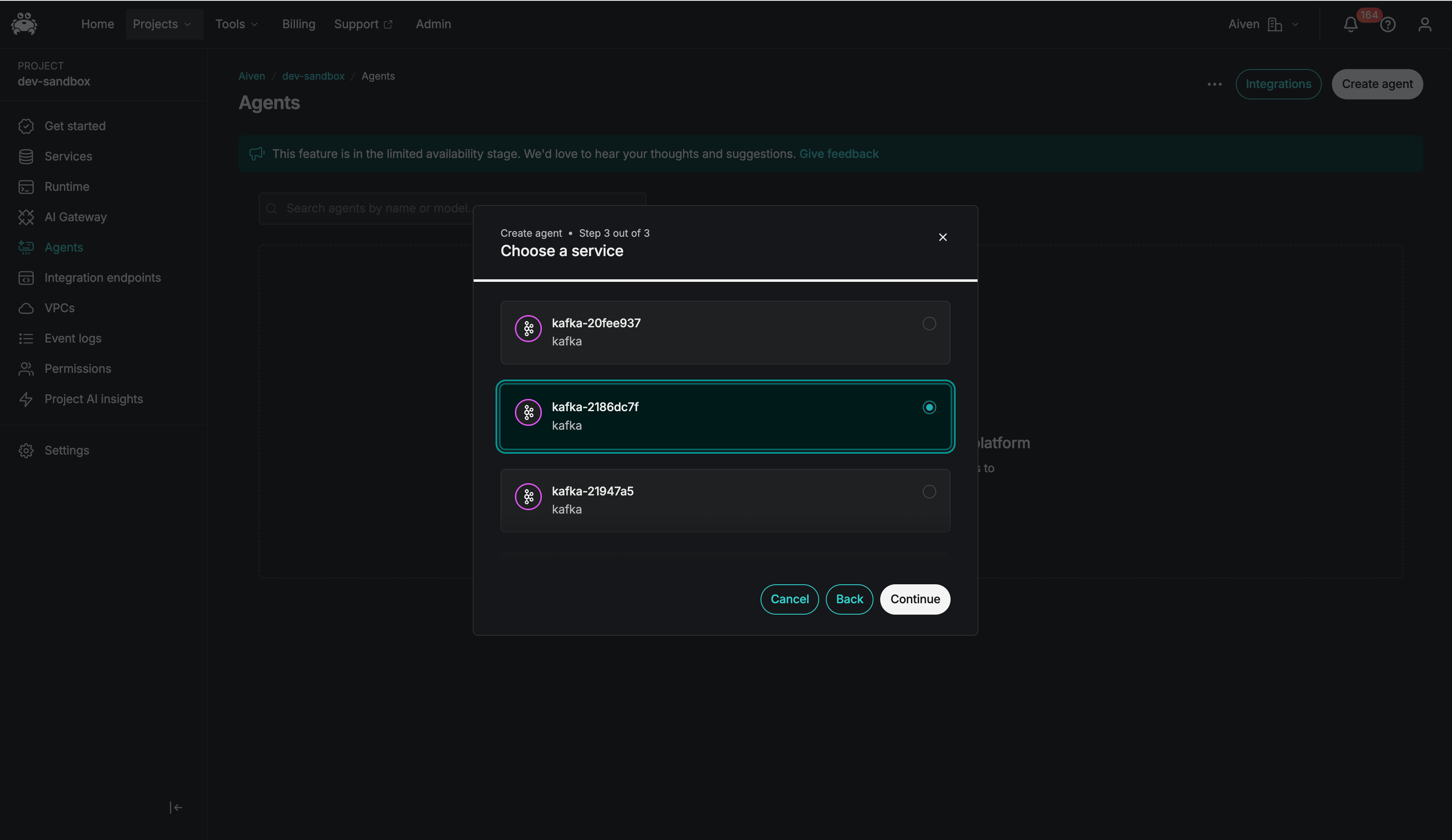
Step 4: Configure Kafka Services
Select which Kafka services you want the agent to monitor. You can:
- Monitor all Kafka services in your project
- Choose specific services
- Add services later and update the agent configuration
The agent will scan all topics and consumer groups in the selected services.
Step 5: Connect Slack Integration
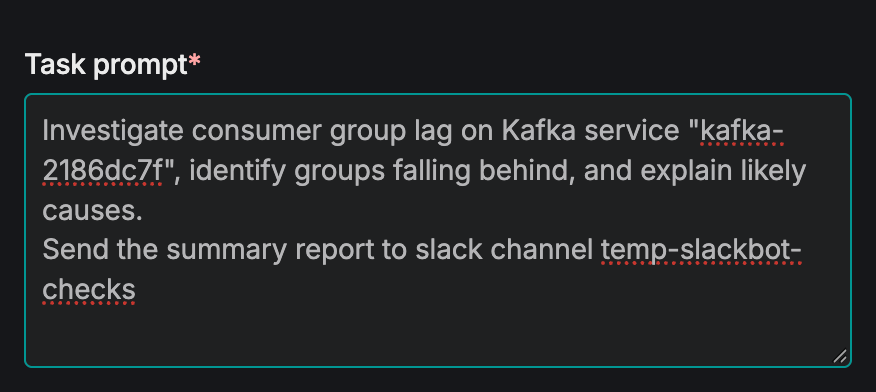
- Under "Task Prompt", add: "Send the summary report to slack channel <your-slack-channel-name>".
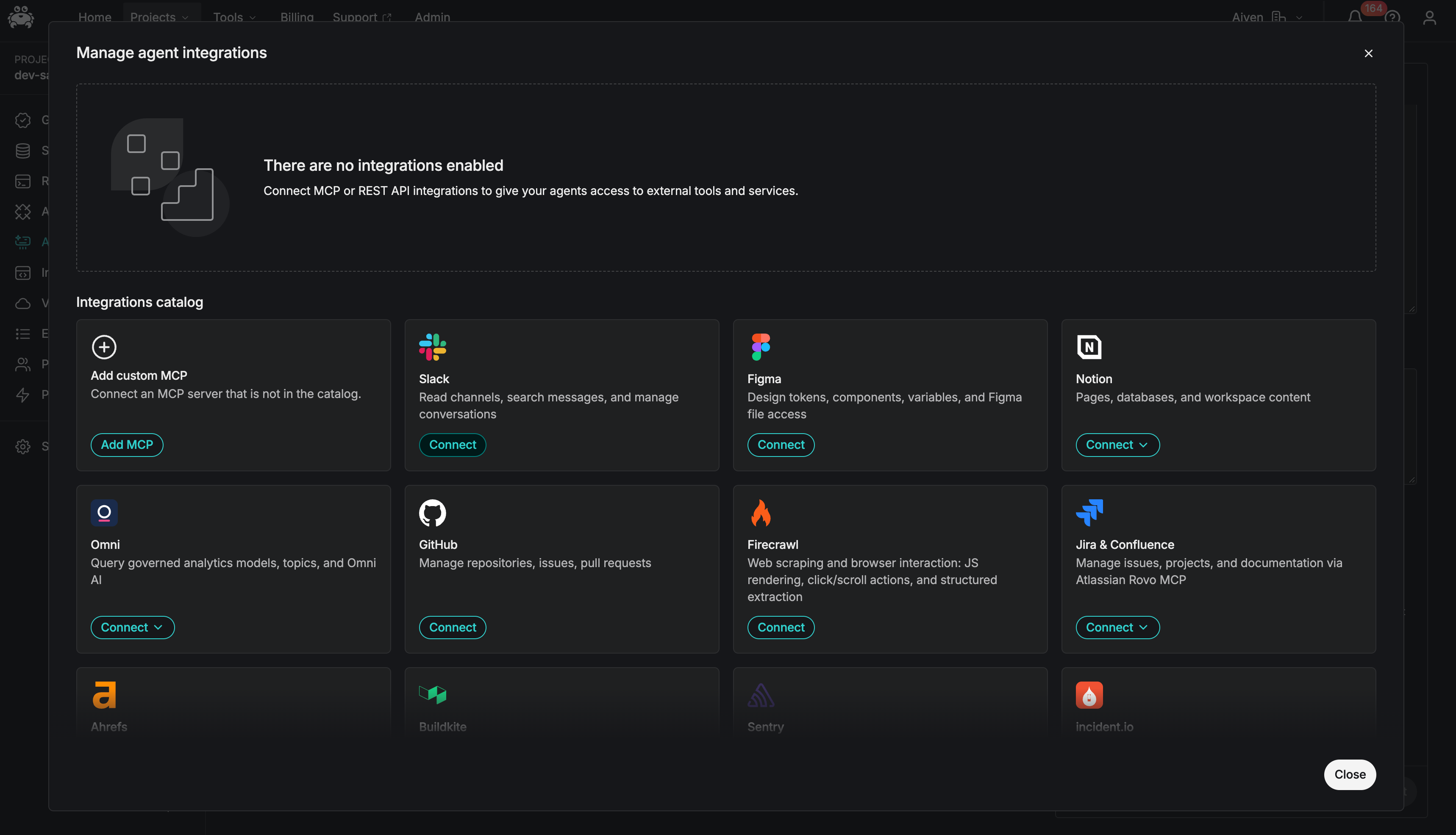
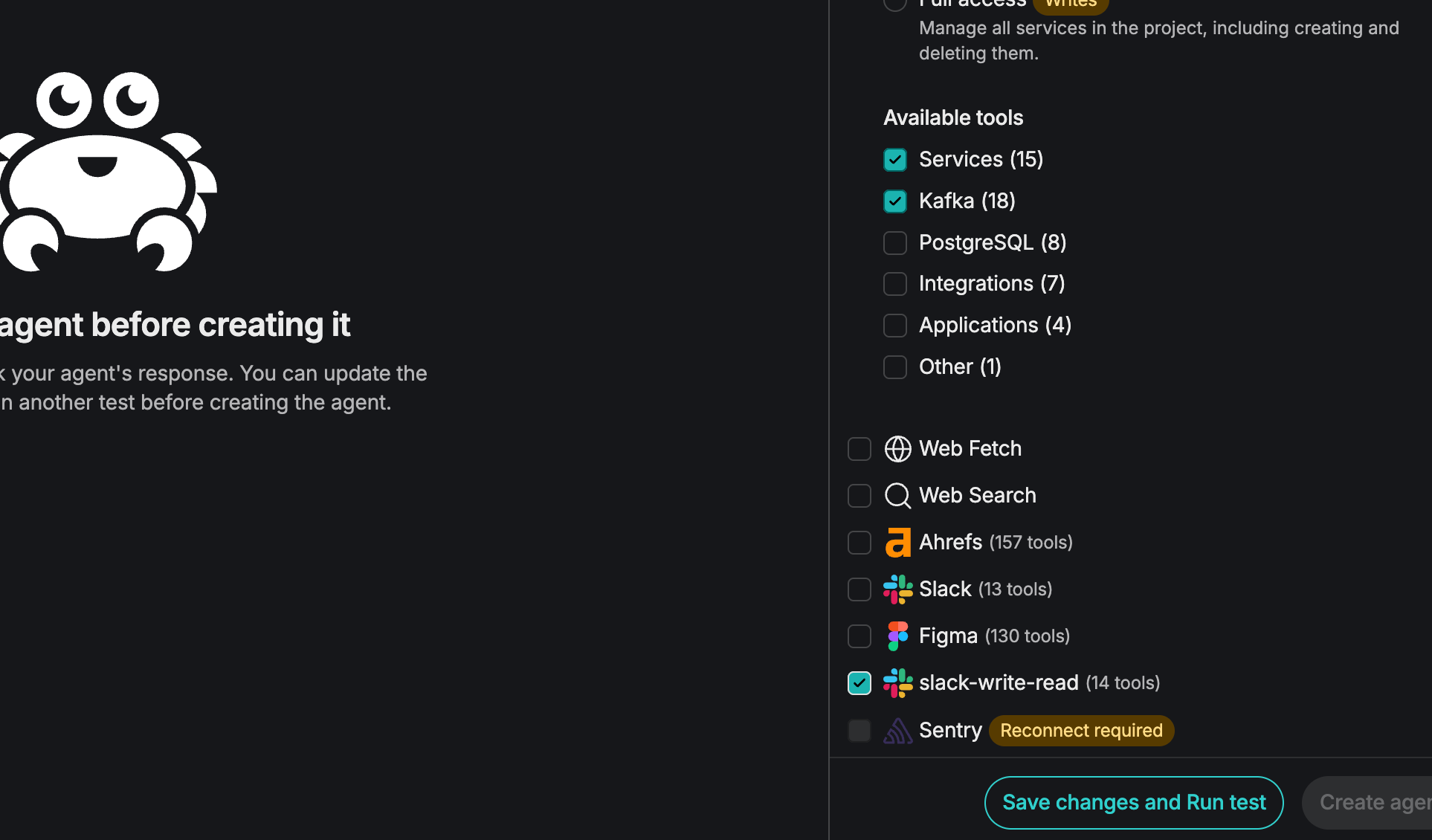
- Under "Built-in tools and integrations", if Slack is not connected yet in your project, click Learn More, select Slack integration, connect it using your Slack token, and uncheck the "Read-only access" toggle. Scroll down in Built-in tools and check the Slack integration you just connected.
Step 6: Test the Agent
Before deploying, test the agent:
- Click Test Agent to run it immediately
- Check Slack to confirm you receive the notification
- Review the report quality and format
- Adjust settings if needed
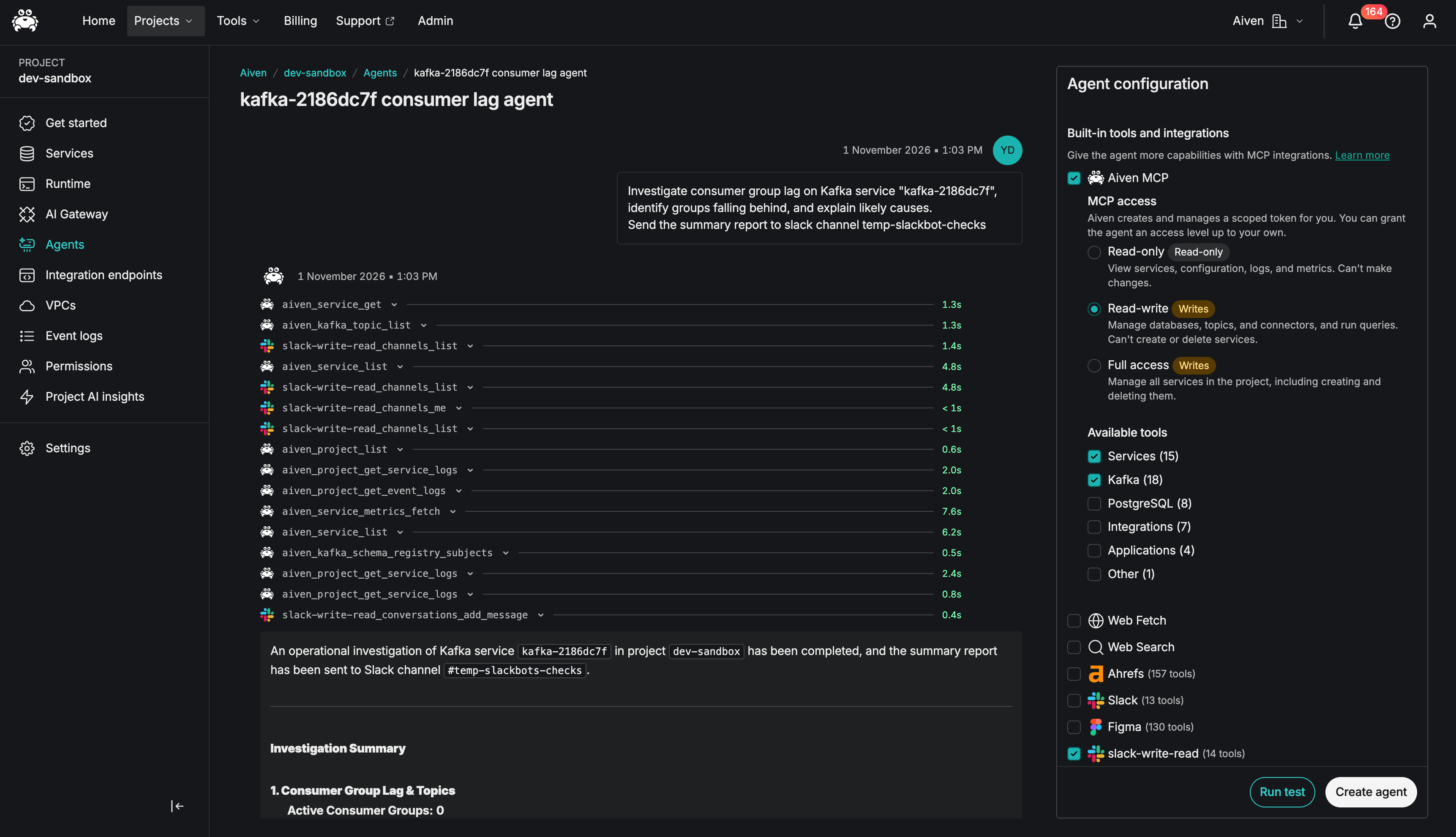
Step 7: Create the Agent and Set Up Scheduling
Once satisfied with the test results, click Create Agent and configure the agent to run automatically:
after clicking create agent, choose what schedule you want for this agent (what is the cadence this agent will run a consumer lag investigation?)
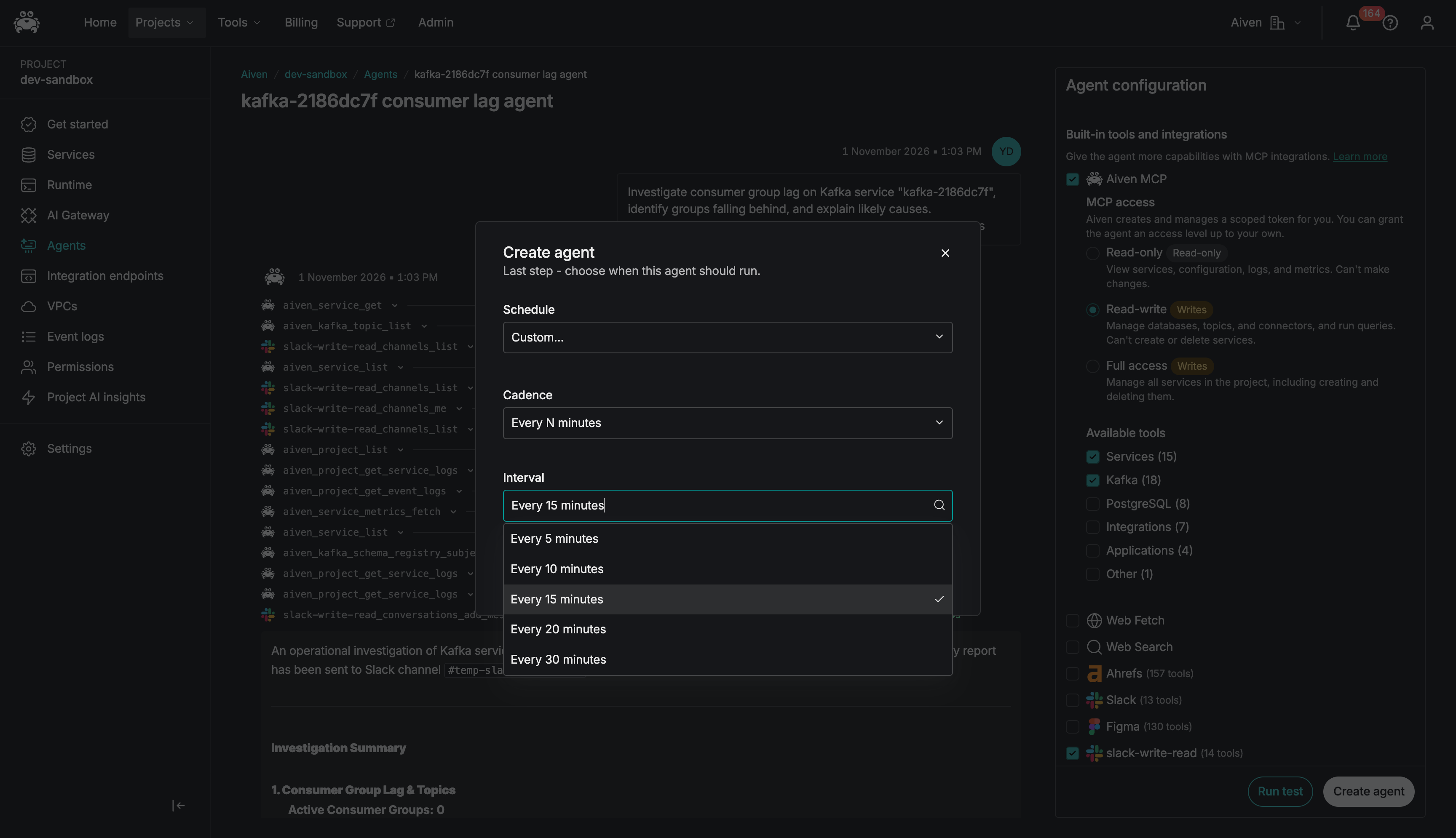
You're Done!!
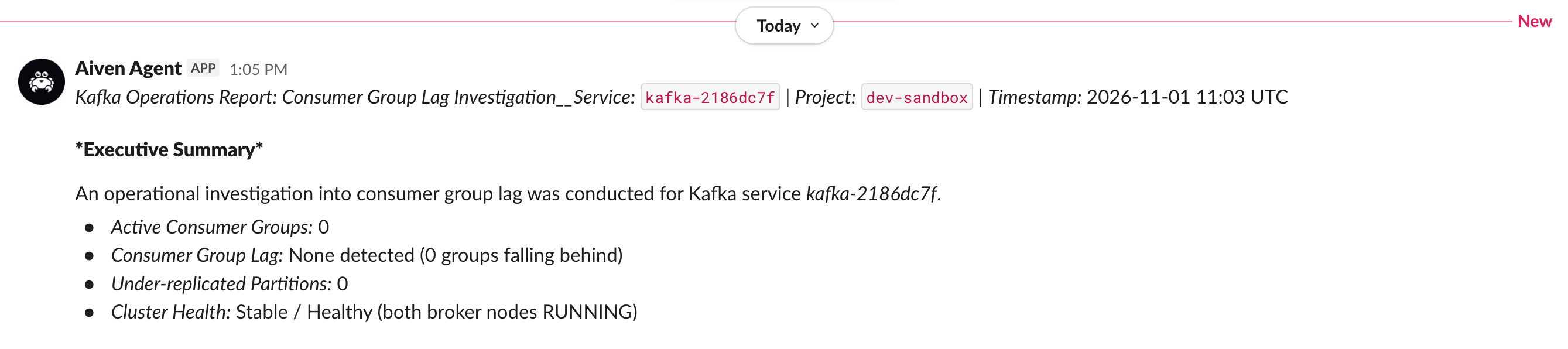
That's it! You've successfully created a fully automated Kafka Consumer Lag Monitoring Agent.
Your agent is now:
- Monitoring all your Kafka services
- Sending real-time alerts to Slack
- Running automatically every 5 minutes
- Providing actionable insights about consumer lag
Happy monitoring! 🎉
Get started
Ready to automate your Kafka monitoring? sign up for Aiven Managed Agents today and start creating powerful automation workflows in minutes.
