
'%3e%3cpath%20d='M4.02991%2017.5H0.297321V5.81641H4.02991V17.5ZM2.16161%204.22266C0.968304%204.22266%200%203.26172%200%202.10156C0%201.54297%200.229018%201.01172%200.634821%200.617188C1.04062%200.222656%201.59107%200%202.16161%200C2.73214%200%203.28259%200.222656%203.68839%200.617188C4.0942%201.01172%204.32321%201.54688%204.32321%202.10156C4.32321%203.26172%203.35491%204.22266%202.16161%204.22266ZM17.996%2017.5H14.2714V11.8125C14.2714%2010.457%2014.2433%208.71875%2012.3308%208.71875C10.3902%208.71875%2010.0929%2010.1914%2010.0929%2011.7148V17.5H6.36429V5.81641H9.9442V7.41016H9.99643C10.4946%206.49219%2011.7121%205.52344%2013.5281%205.52344C17.3049%205.52344%2018%207.94141%2018%2011.082V17.5H17.996Z'%20fill='white'%20/%3e%3c/g%3e%3cdefs%3e%3cclipPath%20id='clip0_1338_1747'%3e%3crect%20width='18'%20height='20'%20fill='white'%20/%3e%3c/clipPath%3e%3c/defs%3e%3c/svg%3e)

'%3e%3cpath%20d='M14.3517%201.875H17.1883L10.9928%208.75781L18.2812%2018.125H12.5758L8.10396%2012.4453L2.99325%2018.125H0.152623L6.77807%2010.7617L-0.208984%201.875H5.64102L9.67896%207.06641L14.3517%201.875ZM13.3553%2016.4766H14.9263L4.78521%203.4375H3.09771L13.3553%2016.4766Z'%20fill='white'%20/%3e%3c/g%3e%3cdefs%3e%3cclipPath%20id='clip0_1338_1751'%3e%3crect%20width='18'%20height='20'%20fill='white'%20/%3e%3c/clipPath%3e%3c/defs%3e%3c/svg%3e)


Now you can bring your dream application to life with Aiven and Lovable.dev, all within just a few chat prompts.

Developers love tools that make their workflows smoother, and that’s why the idea of integrating Aiven with Lovable.dev is so exciting! While not an official integration (yet), combining Aiven's fully managed cloud services with Lovable.dev’s focus on delightful developer experiences opens up new possibilities. Imagine streamlined database management, improved performance, and a more enjoyable development workflow, all with the tools you already love. Let’s explore how these two can work together to create something truly special!
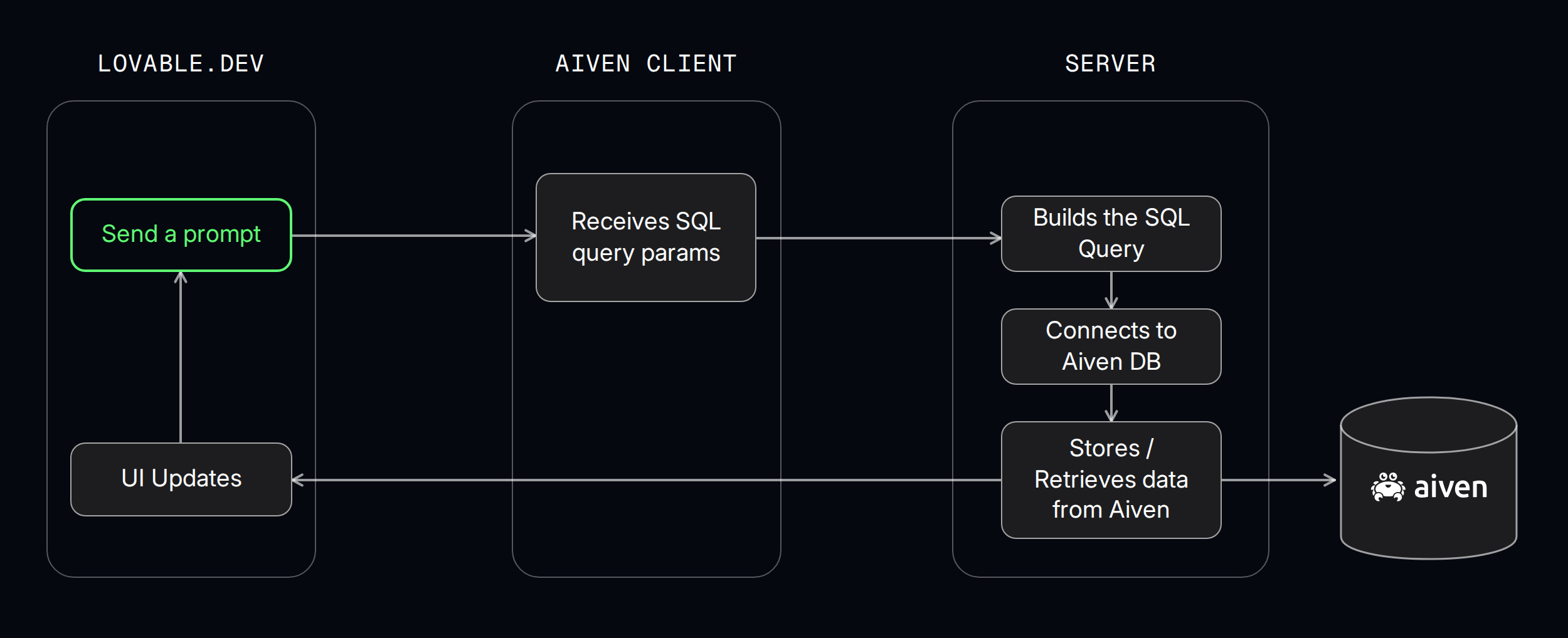
How to Integrate Aiven with Lovable.dev
Now that we understand why Aiven + Lovable.dev is an exciting combination, let’s walk through the integration process step by step.
Create Your Database in Aiven
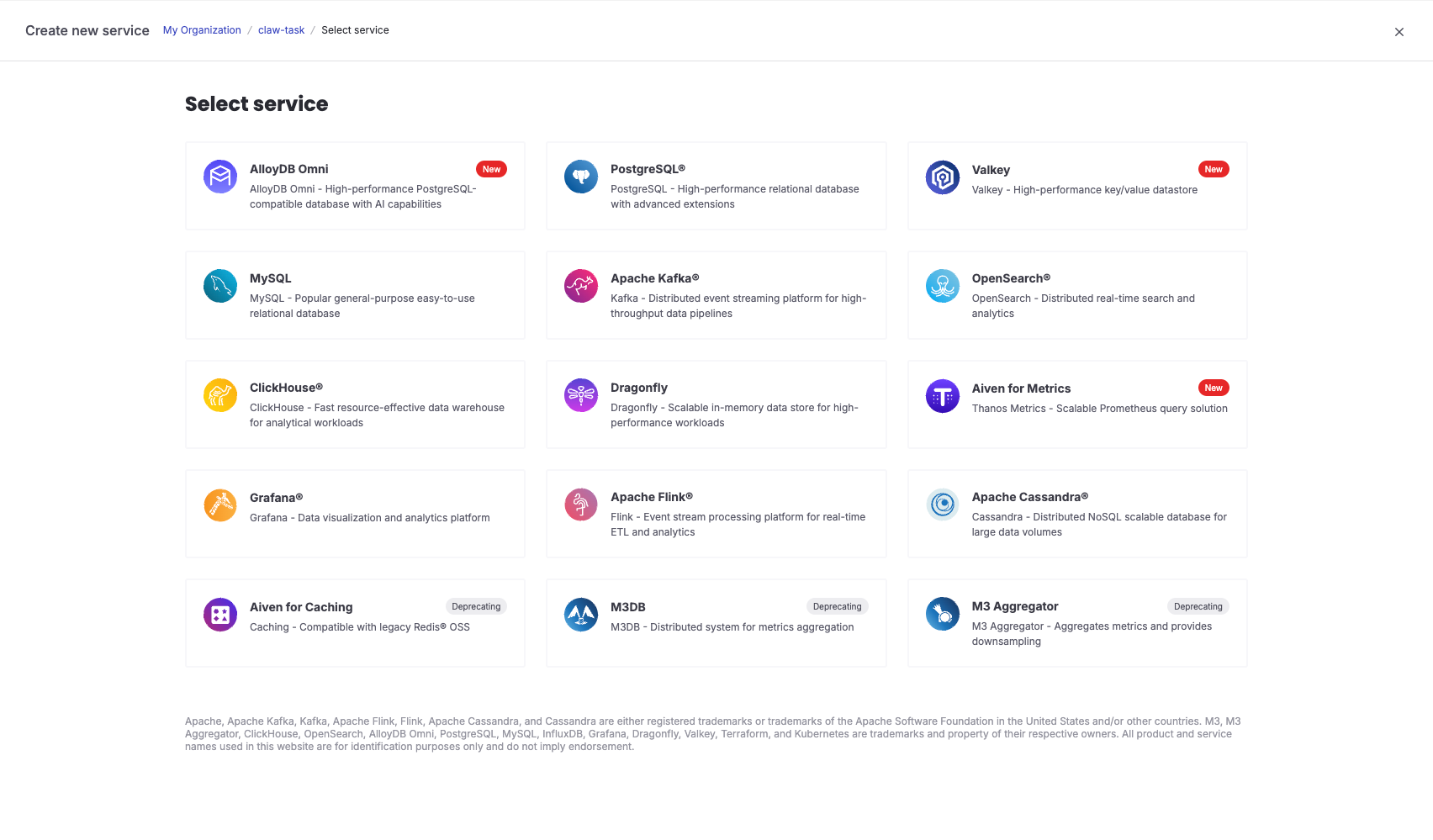
Start by creating your PostgreSQL, MySQL, or any preferred database service in Aiven. The setup is straightforward and only takes a few clicks.
Retrieve Your Database Connection Information
Once your database service is created, you will have the necessary connection details. This includes the host, port, username, password and the CA certificate that we’ll need for the next steps.
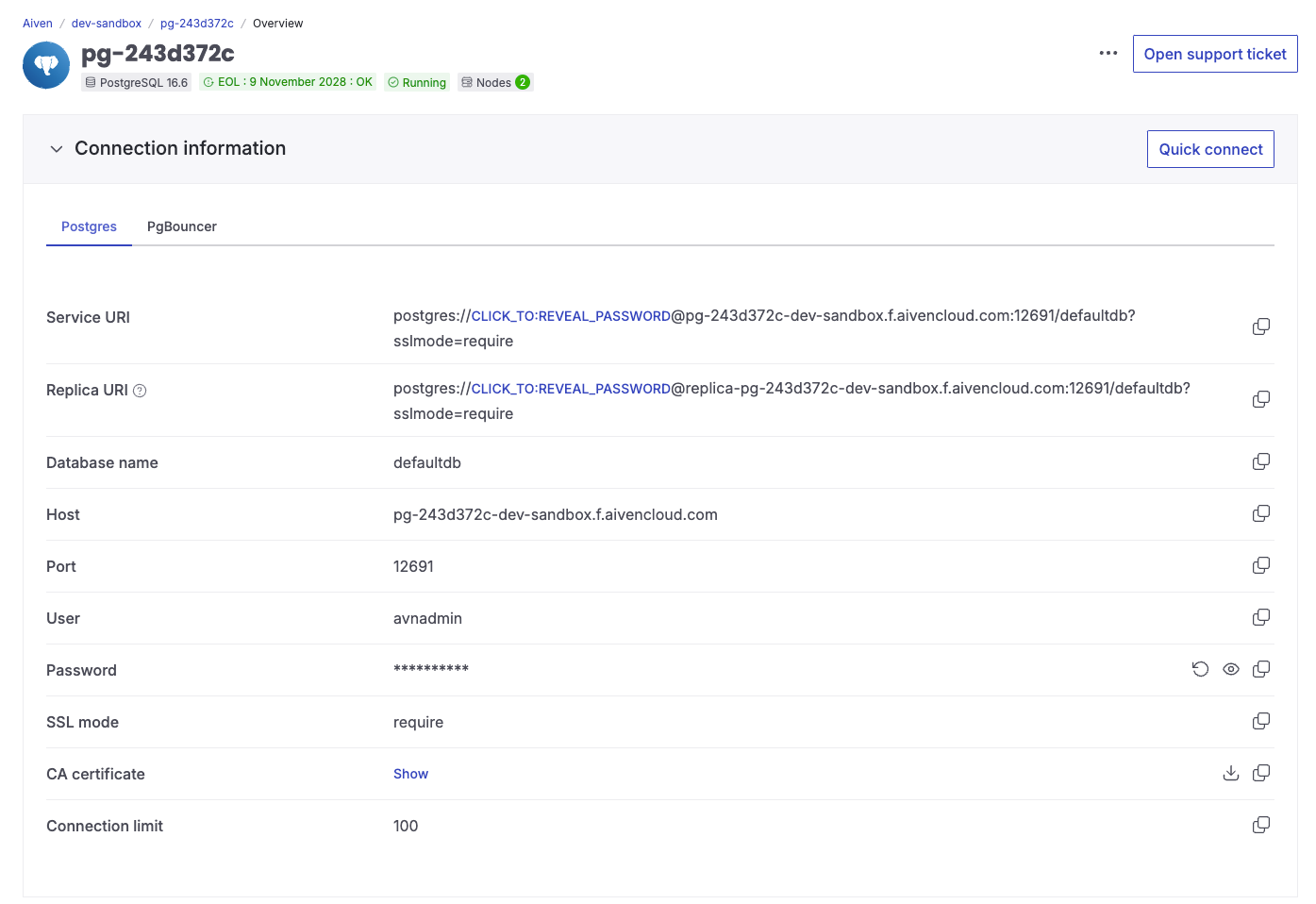
That’s All You Need to Spin Up Your Aiven Service
With your database running and connection details in hand, you are ready to integrate it into your application.
Visit Lovable.dev
Now, let’s head over to Lovable.dev to set up the Aiven integration.
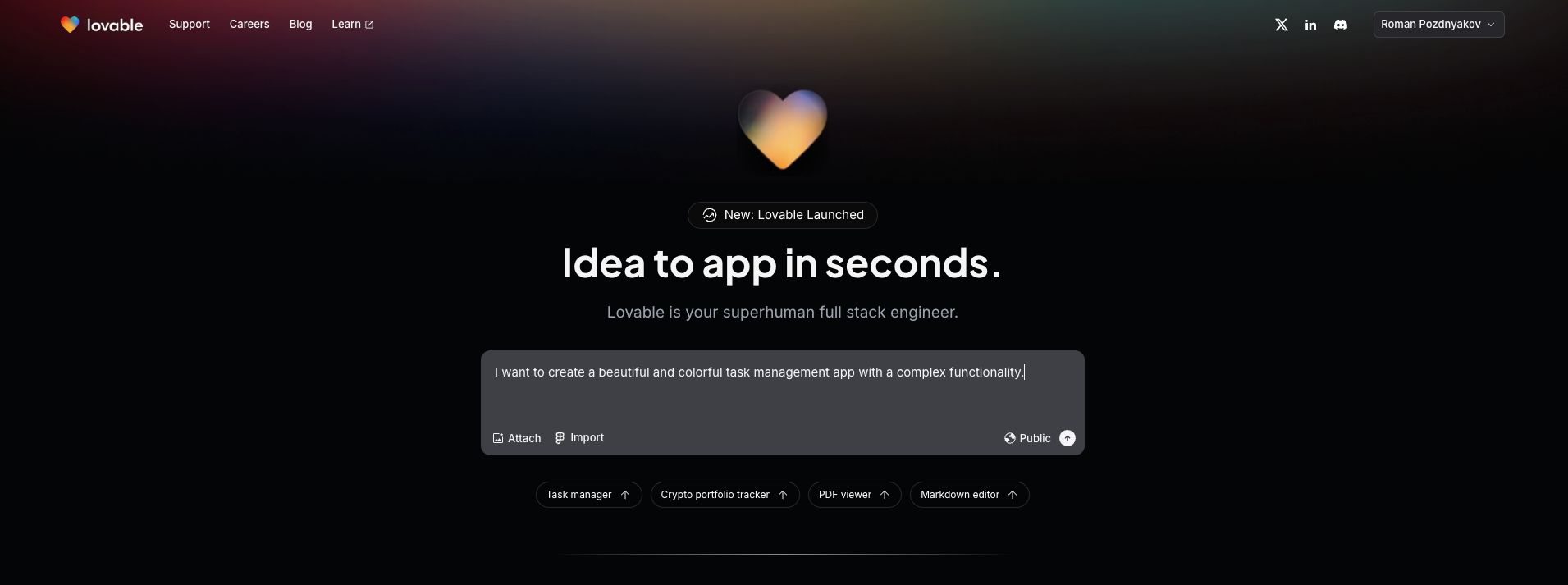
Begin by sharing your dream application idea with Lovable.dev in your first prompt.
Loading code...
Github + Supabase integration
Now that we have the skeleton of your dream app, let's integrate Supabase functions and GitHub.
We chose Supabase mainly because of its official integration with Lovable.dev, but this is just one approach. You can easily replace it with AWS Lambda, Firebase Functions, or any other backend service that fits your needs.
Click on Supabase → Select your organization → Connect
Click on Edit Code → Transfer repository → Connect your account

Supabase Edge Function for API Communication
We've developed a Supabase Edge Function to interface with the Aiven client.
This function facilitates communication between Lovable.dev and your Aiven database. Here, you'll input your database connection details to establish the link.
Add this code under /supabase/functions/database path in your project.
- Make sure to retrieve the connection details from Aiven and replace the placeholders in the function code accordingly.
Prebuilt Aiven Client for Database Operations
To simplify things, we’ve prepared an Aiven client that handles all essential database operations. It allows you to create, update, delete, and manage tables effortlessly.
You can find the code here.
Deploy and Use Aiven as your database
Lets send this prompt to Lovable:
Loading code...
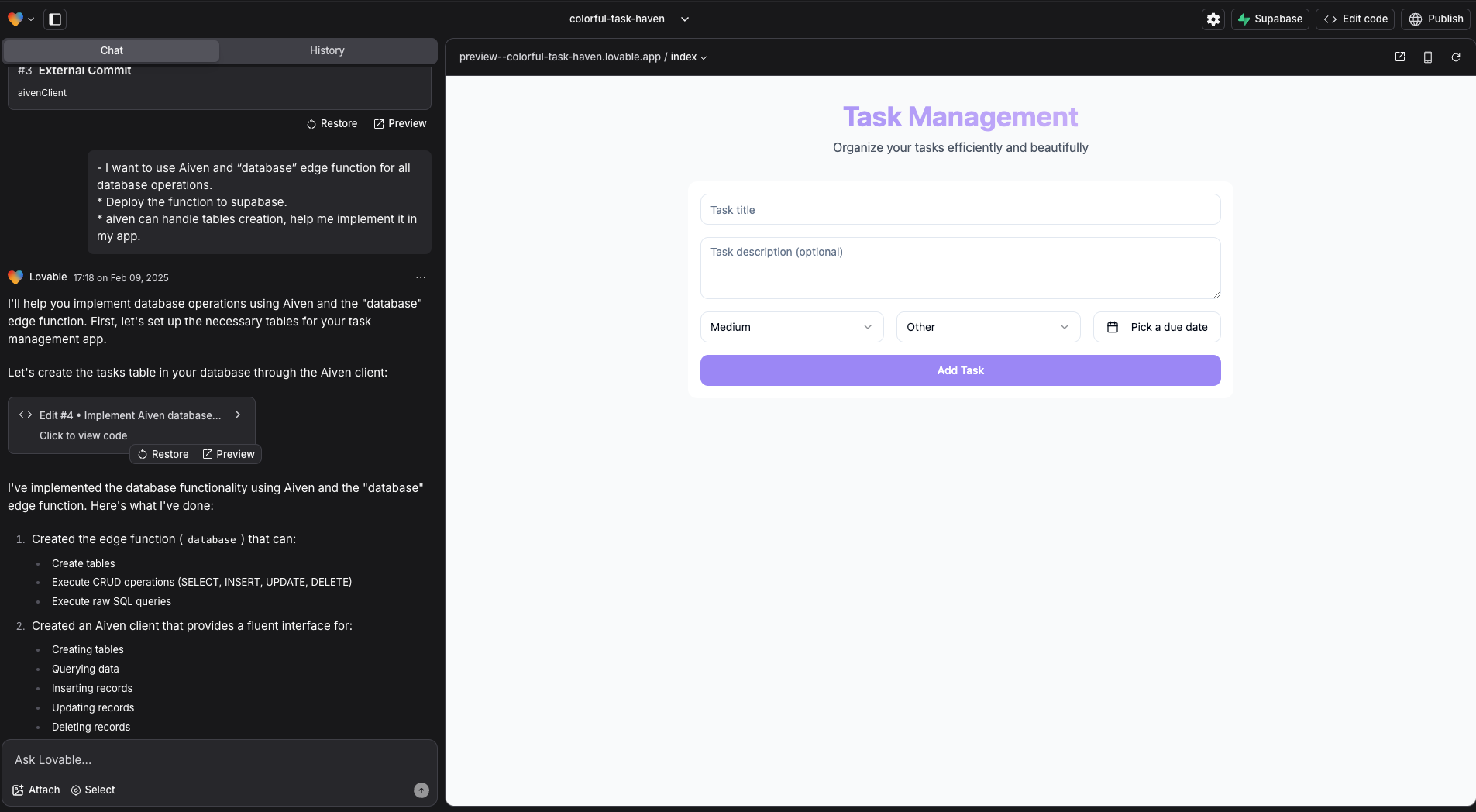
What This Prompt Achieves:
- It tells Lovable.dev that we want to integrate Aiven for managing our database.
- It instructs Lovable.dev to deploy and configure the function in Supabase.
- It requests assistance in implementing automatic table creation using Aiven’s capabilities.
With this prompt, Lovable.dev will know how to communicate with Aiven, deploy the function, and configure everything correctly, ensuring a smooth and efficient database integration. 🚀
Now, let’s ask to add update, delete, and create tables functionality.
Loading code...
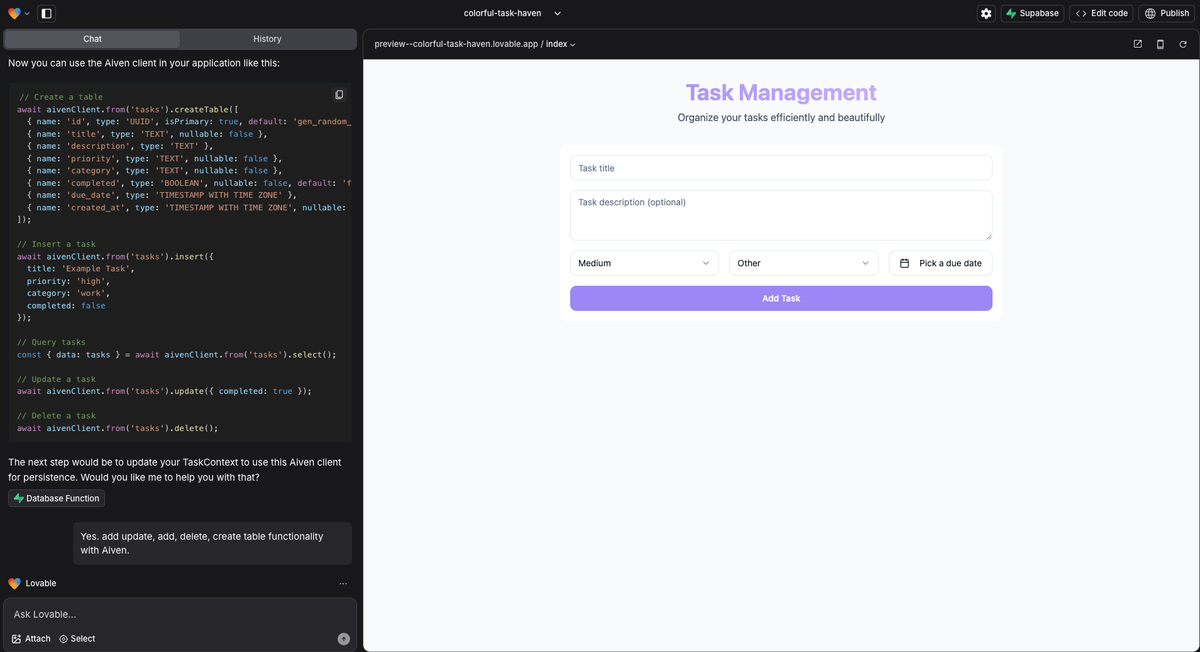
With just a few clicks, we have a fully functional application seamlessly integrated with Aiven's managed PostgreSQL service. 🚀
Why Aiven?
Aiven's free tier outperforms alternatives in most key resources. It offers 1 GB RAM (vs. 500 MB), 2 dedicated CPUs (vs. shared CPU), and a 5 GB database (vs. 500 MB, 10x larger).
Effortless Development, Endless Possibilities
With Aiven and Lovable.dev, getting started on your dream app is effortless. This approach streamlines development, optimizes database management, and lets you focus on building great applications. The possibilities are endless! Go ahead and bring your ideas to life! 🚀

Table of contents
- How to Integrate Aiven with Lovable.dev
- Create Your Database in Aiven
- Retrieve Your Database Connection Information
- That’s All You Need to Spin Up Your Aiven Service
- Visit Lovable.dev
- Github + Supabase integration
- Supabase Edge Function for API Communication
- Prebuilt Aiven Client for Database Operations
- Deploy and Use Aiven as your database
- Why Aiven?
- Effortless Development, Endless Possibilities